
DRP: Daily Route Planner
Never guess when to leave again.
DRP is an iPhone app that connects to your calendar (Google, Outlook, or iCloud) and uses live traffic to tell you the exact minute to leave for each appointment. It also turns a whole day of stops into one optimized route.
Launching on iPhone. Free to start.
DRP reads your calendar's event titles, times, and locations for one purpose: to calculate when you need to leave and plan your route. It never sells your data or uses it for ads. Read our Privacy Policy.
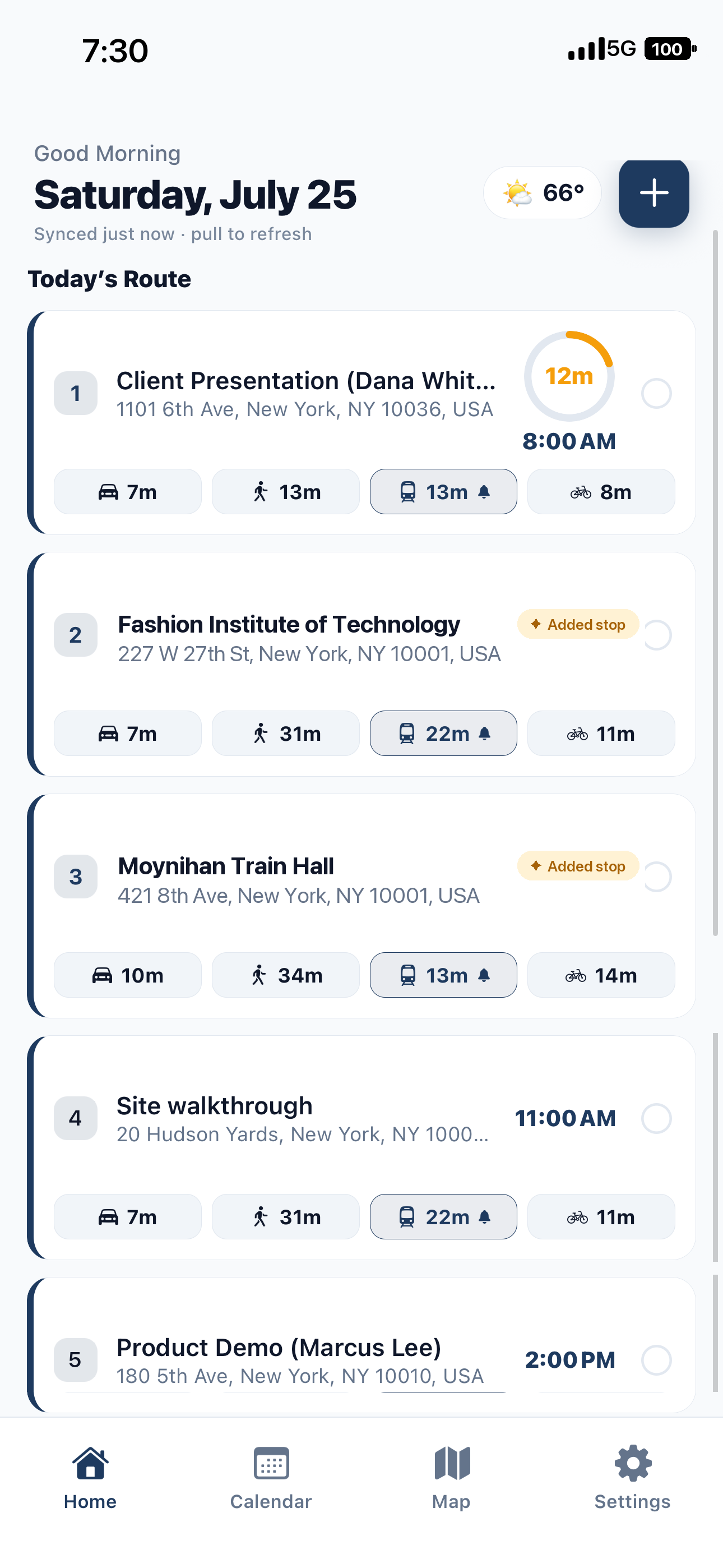
The problem
Most apps tell you when things start. That is the wrong number.
What you need is when to leave, and it changes all day as traffic does. DRP watches the roads to each of your appointments and counts backward, so the time on your screen stays honest from morning to last stop.
Leave on time
A leave-by time for every appointment
DRP checks predicted traffic for the moment you will actually be driving, then tells you when to go. A heads-up ten minutes out, a nudge when it is time, and one tap to navigation.
- Driving, transit, walking, or biking per stop
- Weather-aware buffers when rain slows you down
- Conflict alerts when two stops can't both be made
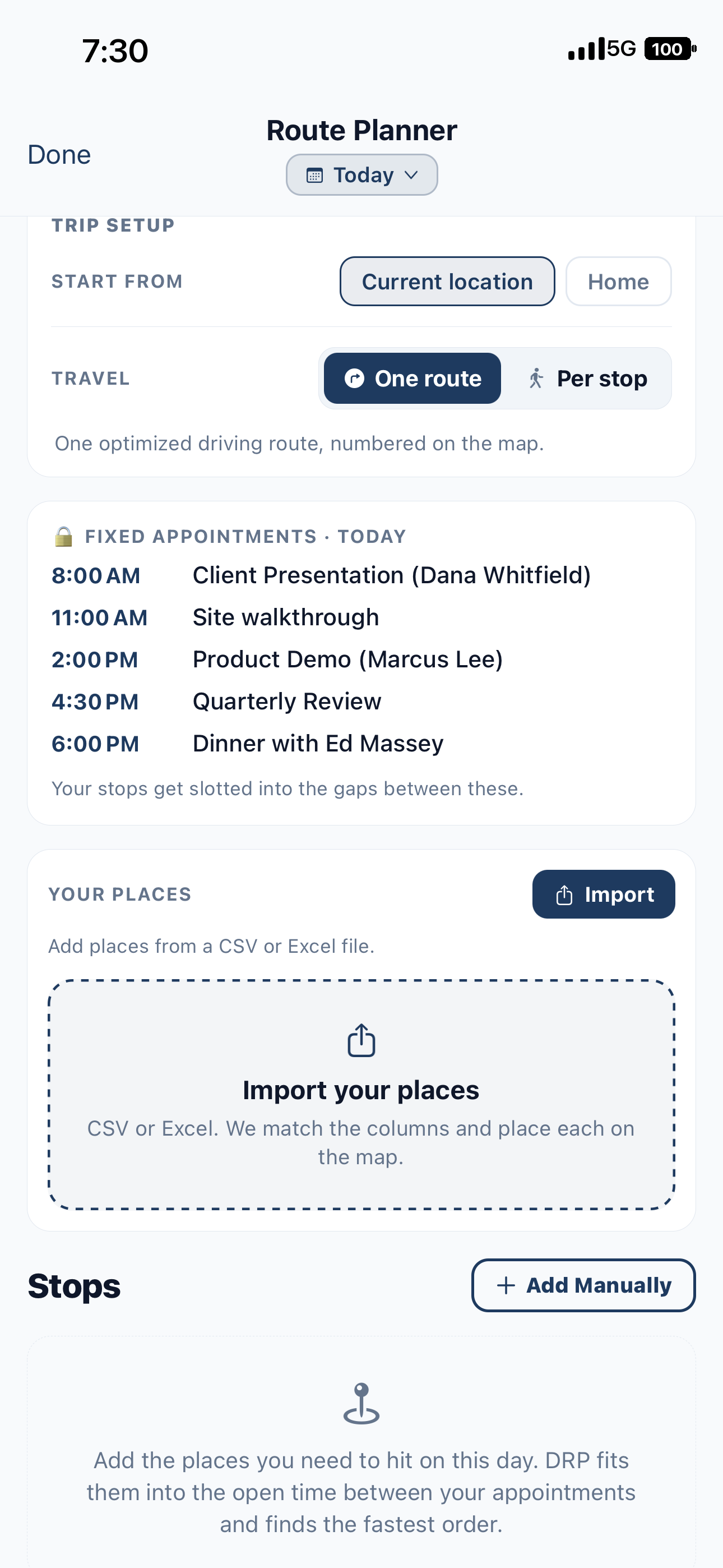
Plan My Day
Fill the gaps between fixed appointments
Lock in the meetings you can't move, then let DRP slot your other stops into the open time. Import a whole list from a spreadsheet and it places each one on the map.
- Import places from CSV or Excel
- Add stops by address or by name
- Re-optimize the day with one tap
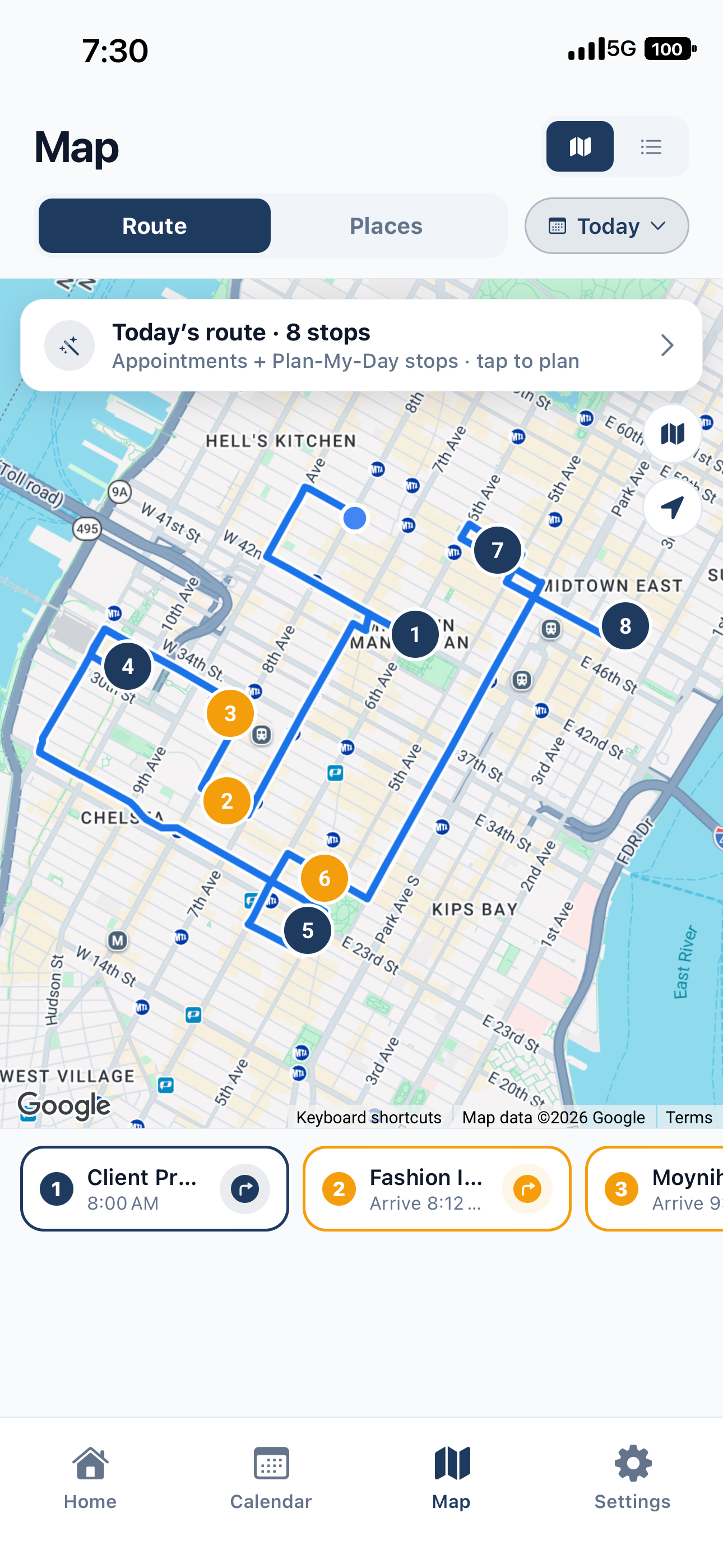
One optimized route
Your whole day, in the right order
DRP orders your stops into one efficient route and draws it on the map, numbered. No more doing the geography in your head between calls.
- Numbered, optimized driving order
- Every saved place pinned on your map
- Tap a pin to drop it into today
How it works
Three steps to a day that runs on time
Connect your calendar
Sync Google, Outlook, or iCloud, or add appointments right in DRP. Your day loads with locations attached.
Add the rest of your stops
Import a list or drop pins. DRP fits them into the gaps and orders everything into one route.
Leave at the right time
Live traffic sets each leave-by time and refreshes all day. You just watch for the alert and go.
Who it's for
Made for anyone whose day is a sequence of places
Questions
Good to know
Which calendars does DRP work with?
Google, Outlook, Exchange, and iCloud. Add an event in DRP and it appears in your calendar; change or delete it anywhere and DRP follows.
How are the departure times calculated?
DRP uses predicted traffic for the exact time you will be traveling to each stop, then works backward from your arrival time. Routes refresh automatically through the day so the number stays accurate.
Do I have to enter every address by hand?
No. Import a spreadsheet of places (CSV or Excel) and DRP matches the columns and drops each one on the map. You can also add stops individually by address or business name.
Is my data private?
Your calendar and location are used only to compute your routes and departure times. See our Privacy Policy for the full detail on what is collected and how it is handled.
What does it cost?
DRP is free to start on iPhone. Subscription features are on the way; we will always be upfront about pricing before anything is charged.
How is DRP different from Google Maps or Apple Maps?
Maps apps route you once you are already leaving. DRP works backward from your calendar: it watches live traffic all day and tells you the exact minute to leave for each appointment, then optimizes the order of a whole day of stops into one route. It answers when to leave, not just how to get there.
Who is DRP for?
Anyone who drives to scheduled appointments: pharmaceutical and medical-device sales reps, field service technicians, home-health visits, and busy people juggling a full day of stops.
Get started
Stop doing traffic math in your head.
Let DRP watch the roads so you always leave at the right time.
Download on the App Store